
A Complete Guide to Transferring U.S. Stocks to Bitget
As cryptocurrency trading platforms continue to mature, more and more investors are looking to move their U.S. stock holdings to platforms that support integrated crypto and U.S. stock management, enabling efficient capital flow. Bitget stands out as a top choice for many investors, thanks to its convenient USDC deposits and withdrawals and all-in-one asset management capabilities. This guide provides a comprehensive, step-by-step walkthrough for transferring your U.S. stocks from another broker to Bitget.
Bakit ililipat ang iyong mga U.S. stock sa Bitget?
1. USDC deposits and withdrawals—say goodbye to the hassle of traditional cross-border wire transfers: Traditional cross-border fiat transfers come with high fees, slow processing times, and complex procedures. By using USDC on Bitget for deposits and withdrawals, you benefit from fast, low-cost transactions that are nearly instant, dramatically reducing the friction of moving funds.
2. Manage global assets in one app—seamless flow between crypto and U.S. stocks: On Bitget, you can hold and manage both cryptocurrency and U.S. stock assets in one place. Funds move freely between your crypto and stock accounts without the need for multiple withdrawals or transfers, greatly improving trading flexibility and capital efficiency.
Two things to do before initiating a transfer
Before you begin, confirm the following two points:
● Your broker supports DTC transfers (most major U.S. stock brokers do).
● You have completed identity verification on Bitget and have opened a U.S. stock account.
Once both are checked, you're ready to start the transfer process.
Step-by-step transfer tutorial
Step 1: Access the Bitget U.S. stocks portal
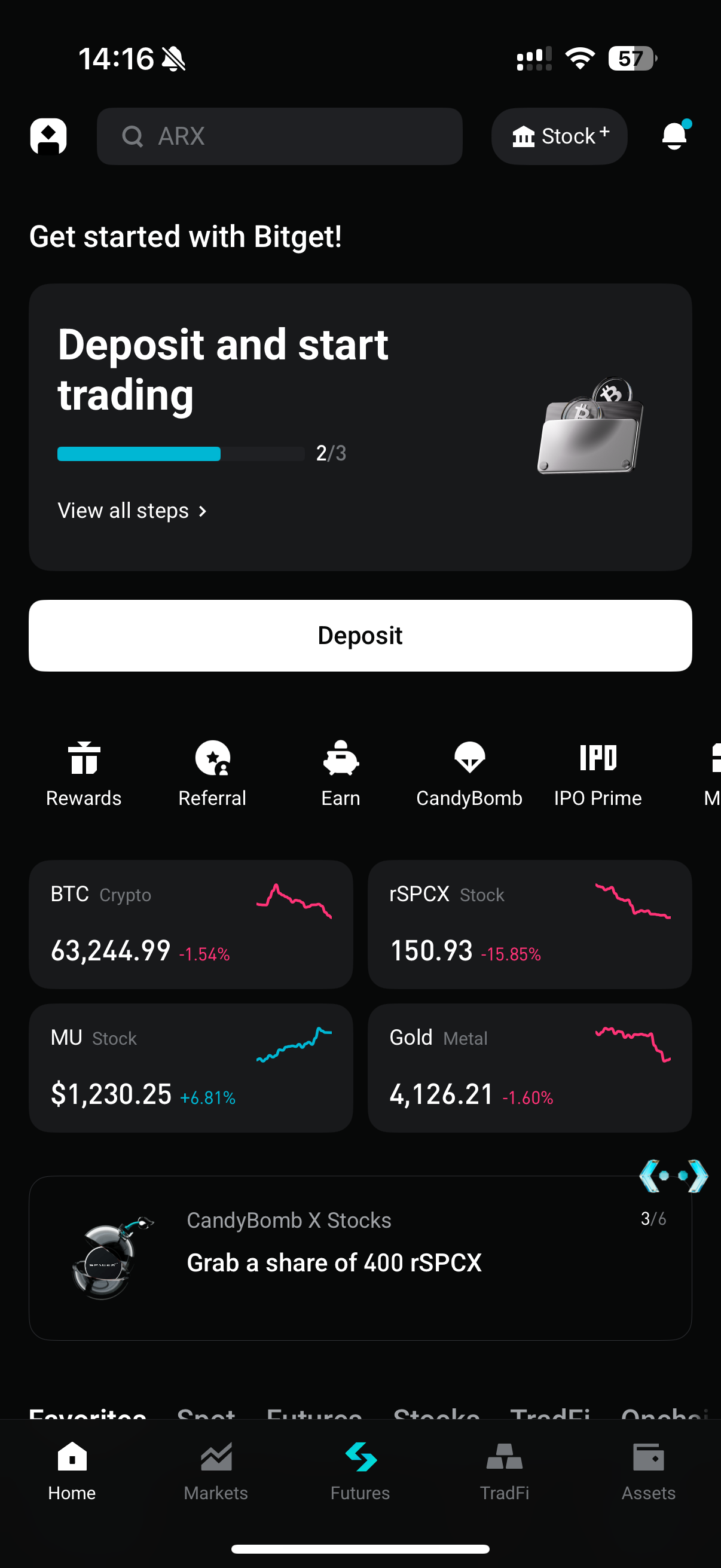
Open the Bitget app and locate the Stock+ portal in the top-right corner of the homepage. Tap it to enter the U.S. stocks trading/assets page.
Step 2: Submit a stock transfer-in request on Bitget
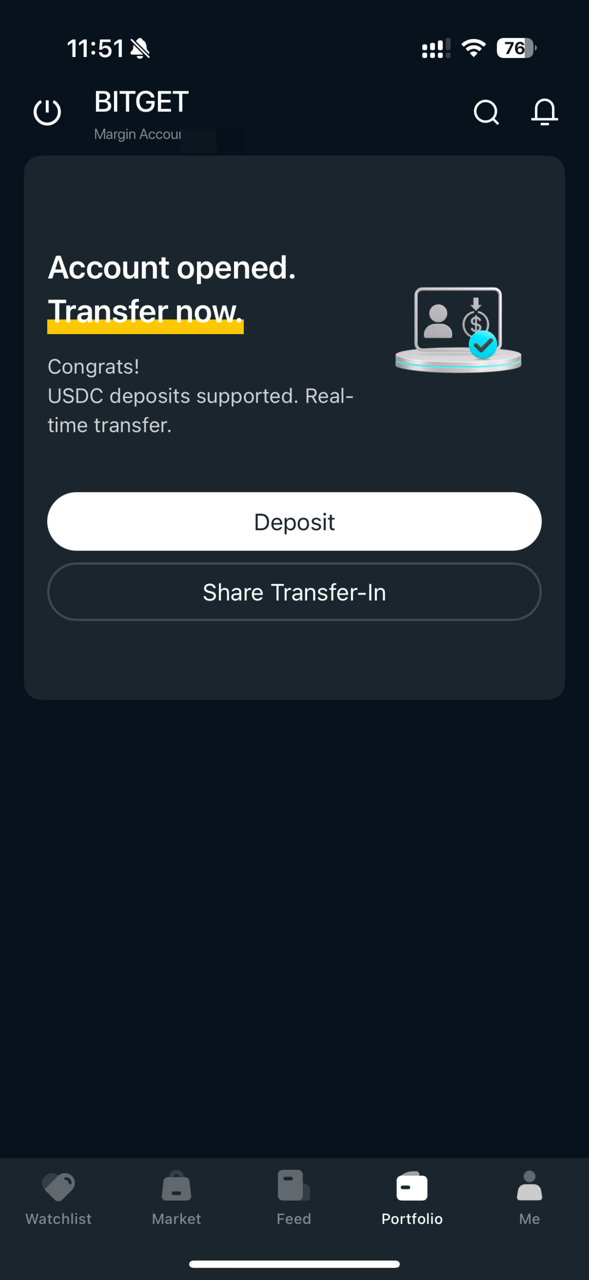
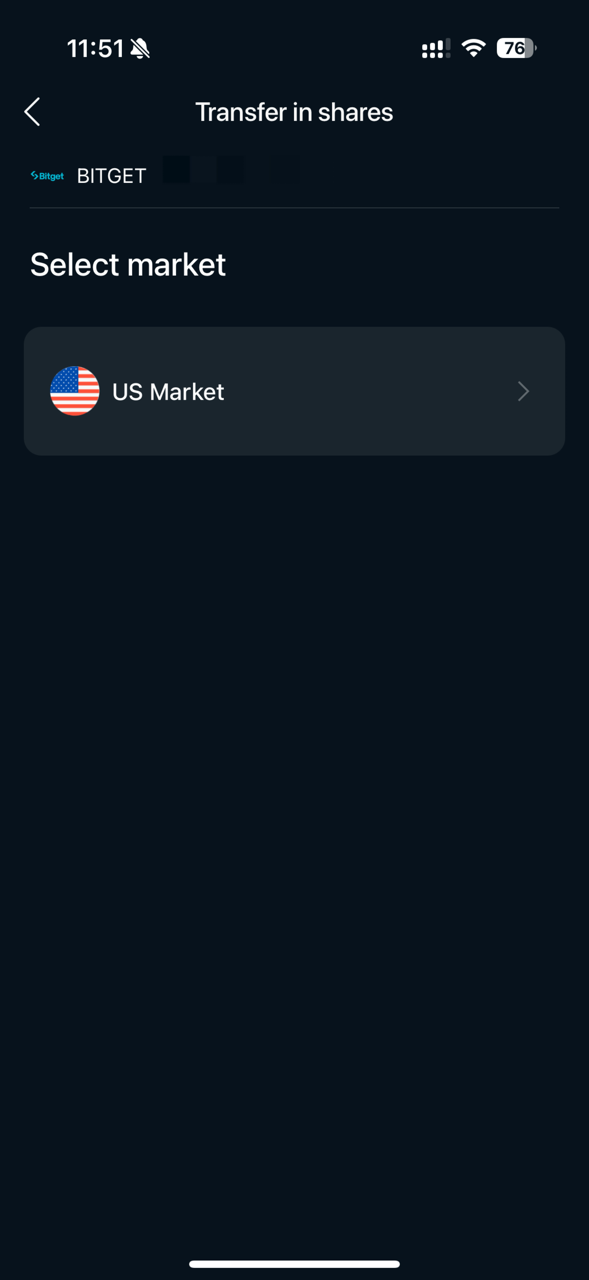
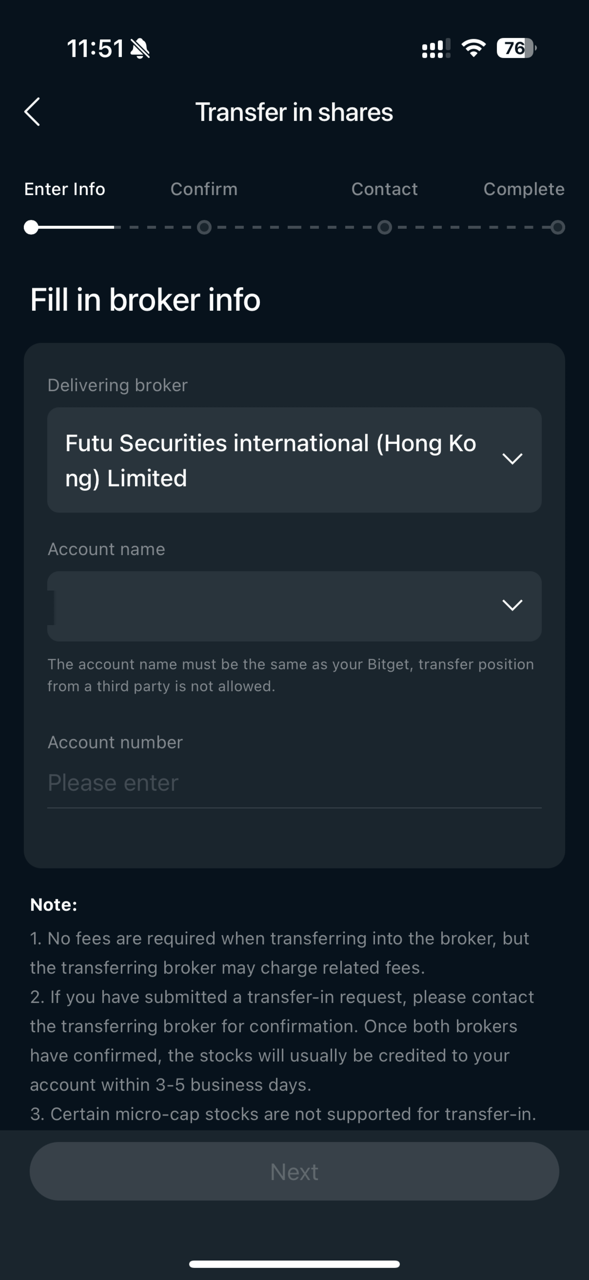
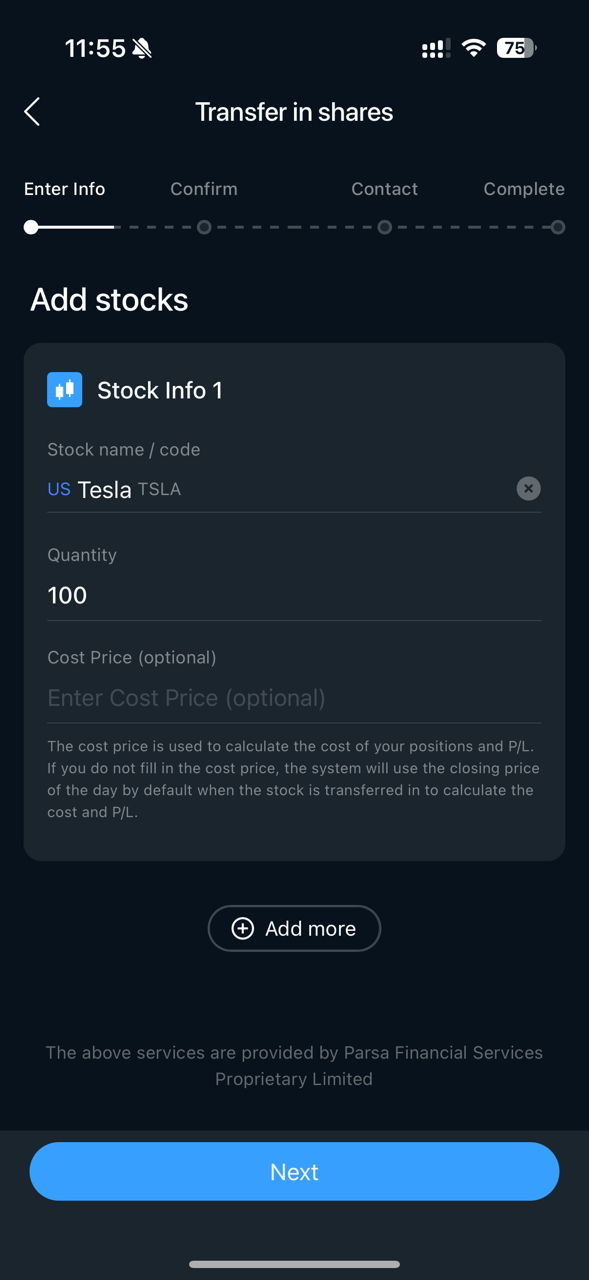
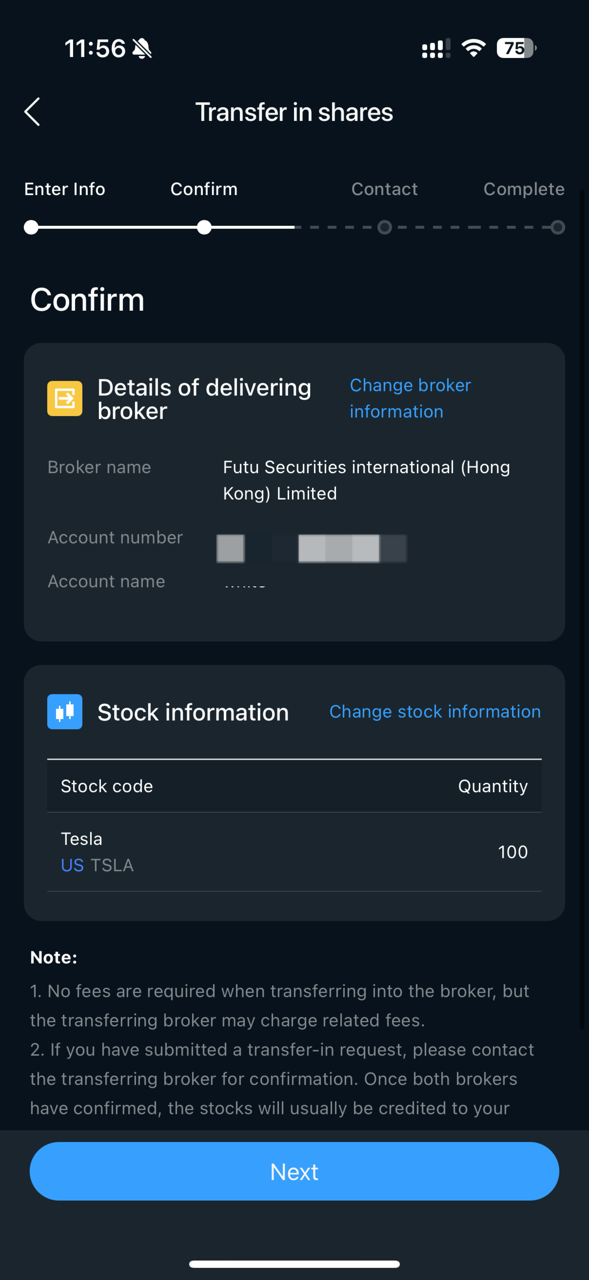
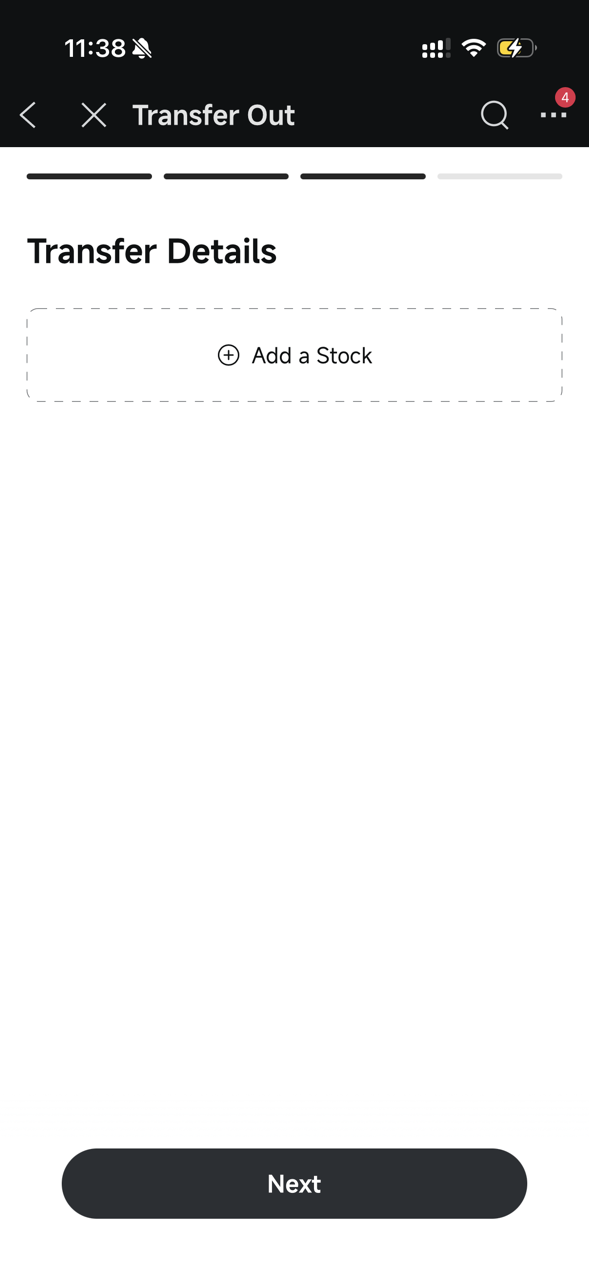
Go to the Portfolio page, head to Transfer. Select U.S. Market, then fill in your broker's information and the details of the stocks you wish to transfer (stock code, quantity, etc.) as prompted. Review everything carefully and submit your request.
|
|
|
|
|
|
Step 3: Retrieve your Bitget receiving account details
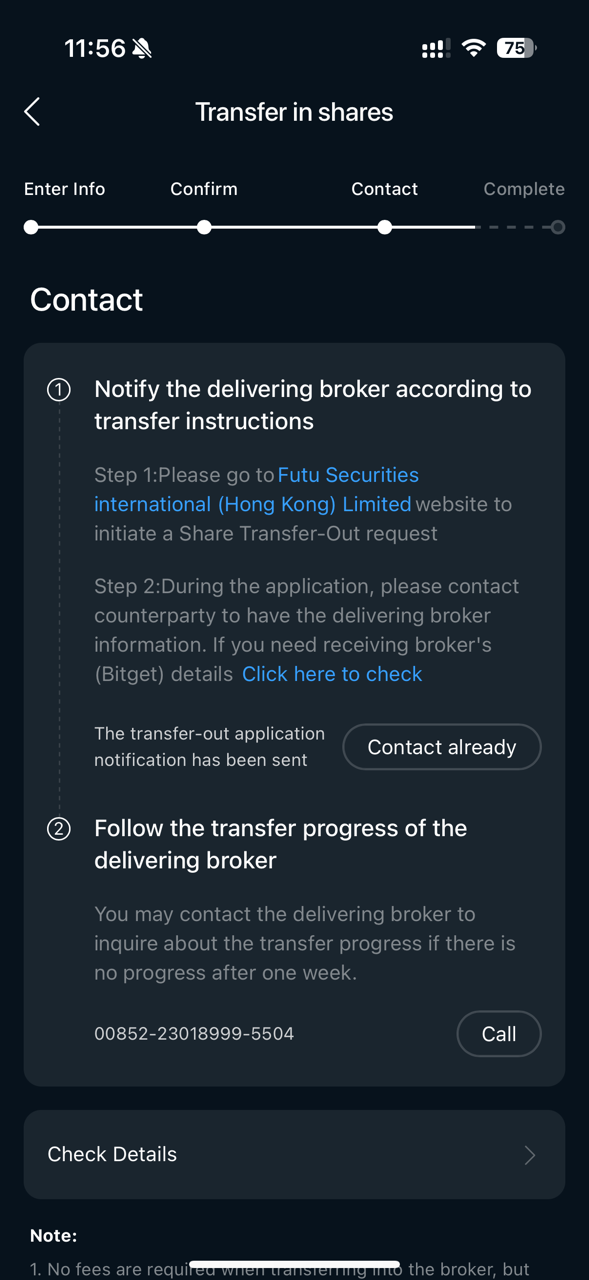
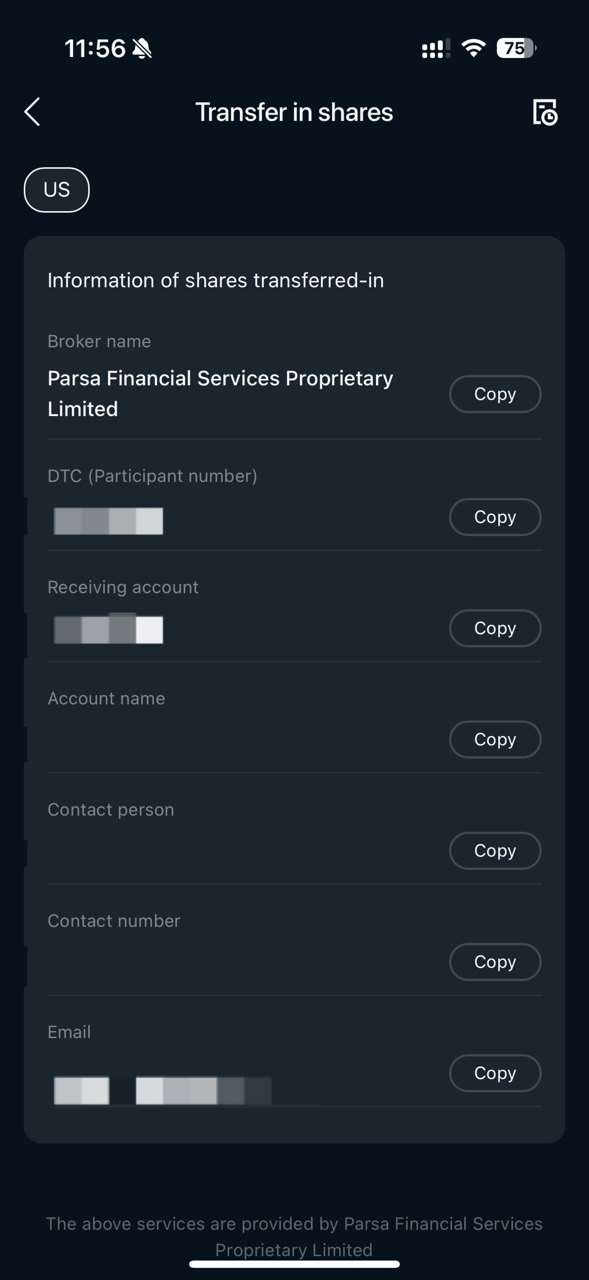
After submitting your request, tap the Click here to check button on the page and copy the following key details for later use:
● Receiving broker name
● Receiving account number
● DTC number
● Other required information
|
|
|
Step 4: Submit a stock transfer-out request
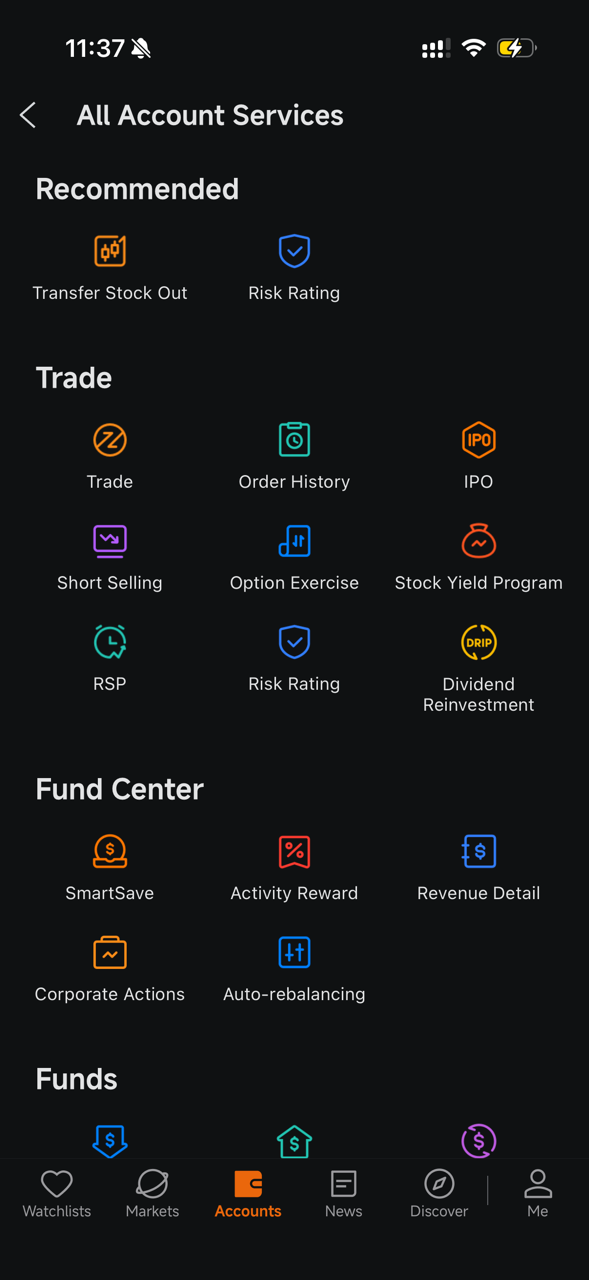
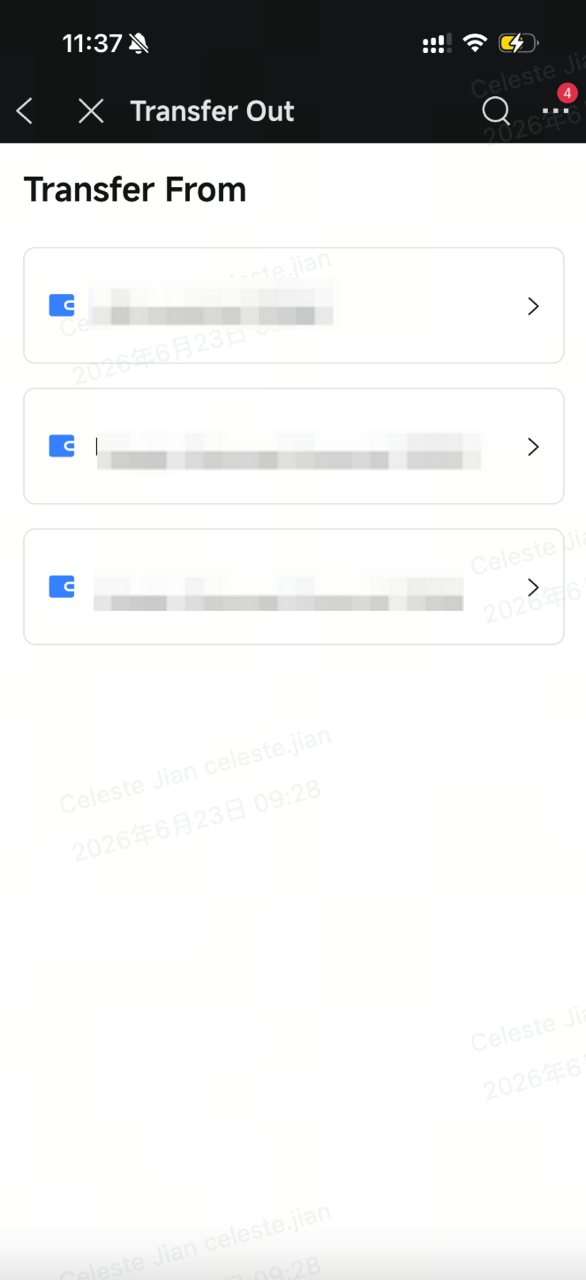
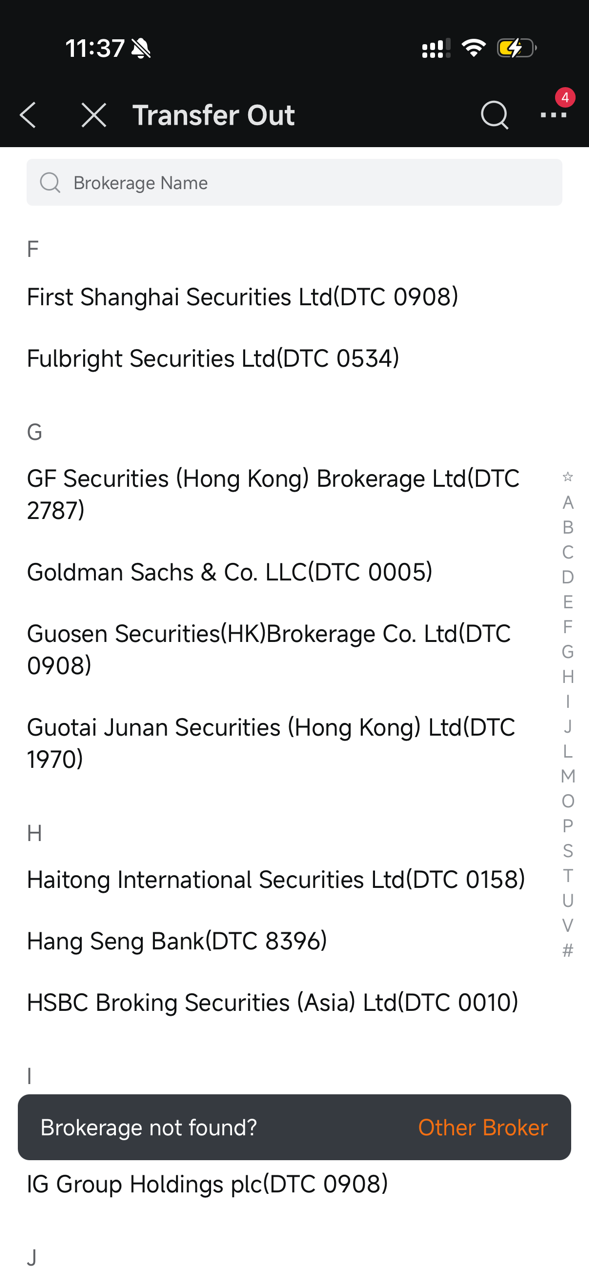
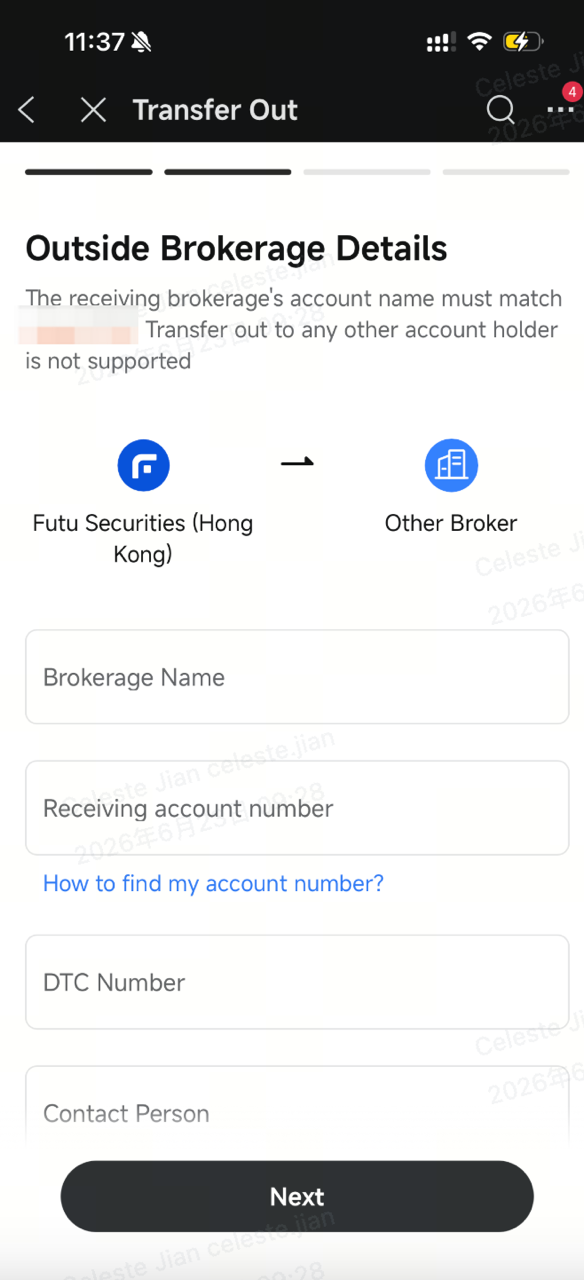
Log in to your broker account and navigate to the transfer/position transfer section. The exact interface may vary by broker. Refer to the actual pages displayed.
For example, at a typical broker: Account page → Transfer Stock Out → Select Other Broker / External Broker, then accurately paste the receiving broker name, account number, and DTC number provided by Bitget. Add the ticker symbol and quantity of the stocks you wish to transfer out, confirm all details are correct, and submit your request.
|
|
|
|
|
|
Step 5: Wait for the transfer to complete and confirm receipt
U.S. stock transfers typically take five to seven working days. The actual time may vary depending on your current broker's processing speed, the custodian institution, public holidays, and other factors. During the transfer, your stocks may be temporarily unavailable for trading, so plan accordingly. Once the transfer is complete, you can view your holdings on the Assets page in Bitget.
Important notes
● Names must match exactly: The account holder name on the transferring brokerage account must exactly match the verified name on your Bitget U.S. stock account. Any discrepancy may cause the transfer to fail.
● Not all stocks support transfers: Certain stocks, such as some OTC stocks or restricted shares, may not be transferable. Verify eligibility in advance.
● Trading restrictions during transfer: Stocks cannot be traded while a transfer is in progress. We recommend assessing market volatility risks beforehand.
● Reach out if you need help: If you encounter any issues during the process, feel free to contact Bitget customer service at any time for assistance.
Once the transfer is complete, you can trade U.S. stocks efficiently on the Bitget platform while also enjoying the convenience of your crypto assets. Whether you're holding for the long term or trading actively, you'll benefit from unified asset management and seamless capital flow. The overall process of transferring U.S. stocks to Bitget is straightforward and user-friendly. As long as you follow each step carefully and pay attention to name consistency and information accuracy, most transfers can be completed successfully.


- Bakit ililipat ang iyong mga U.S. stock sa Bitget?
- Two things to do before initiating a transfer
- Step-by-step transfer tutorial
- Important notes